
大家好,欢迎来到IT知识分享网。
一、Fmod介绍与安装导入Unity
1.Fmod与Unity内置Audio播放器对比
Fmod的下载与工程创建
FMOD的使用过程比较简单,复杂之处在于FMOD Studio的使用,音效资源编辑完成后的使用较为简单。所以这篇文章只讲Fmod如何使用,FmodStudio如何编辑音效会专门写一篇文章来讲。
FMOD Studio部分:
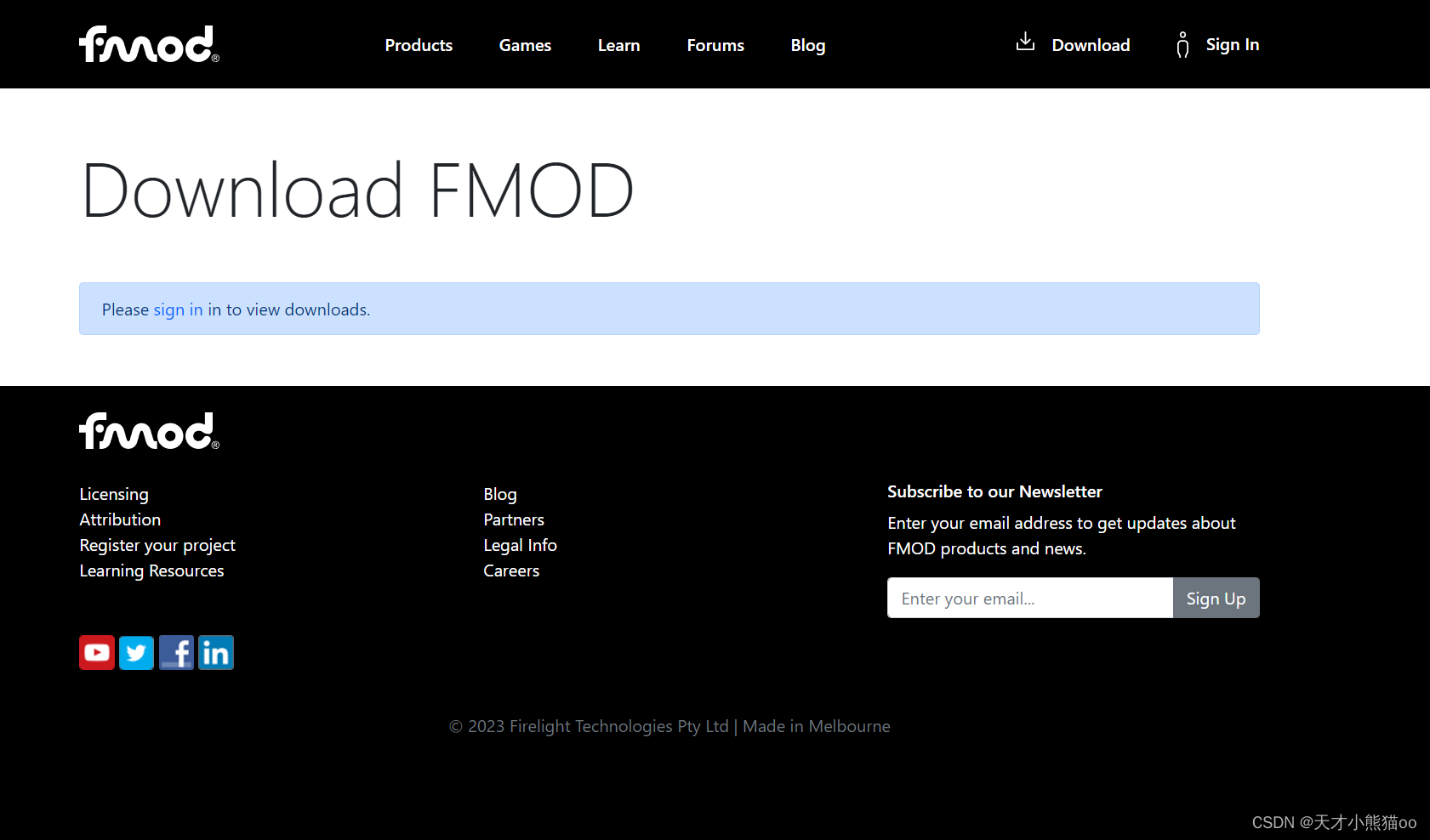
1.下载Fmod Studio
Fmod官网下载:https://www.fmod.com/download
- 打开FMOD Studio即创建一个新工程,Ctrl + S 确定工程保存位置;

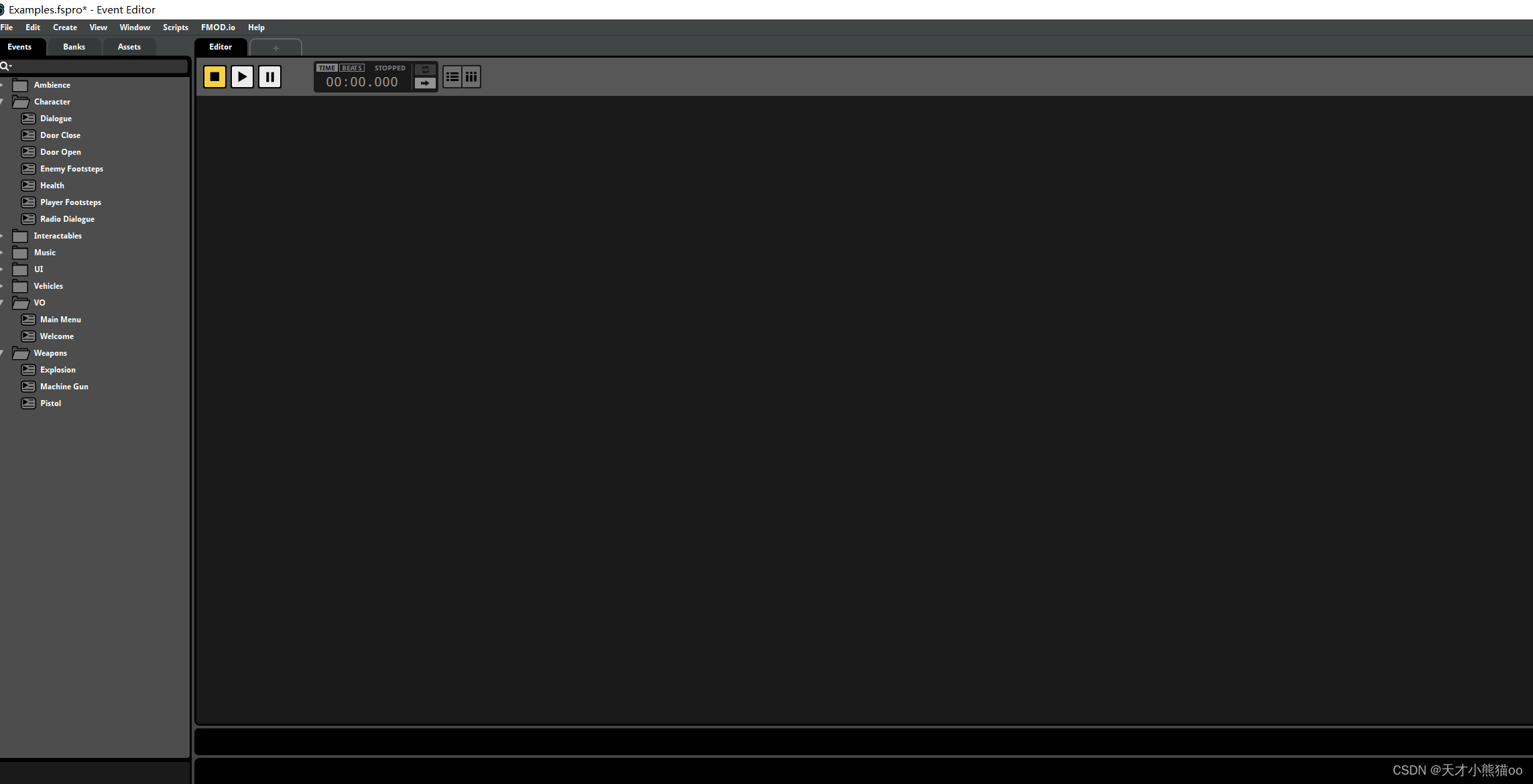
3.Window->Audio Bin打开Audio Bin窗口,用于选择工程需要的声音文件,File->Import Audio Files选择工程需要的声音文件;
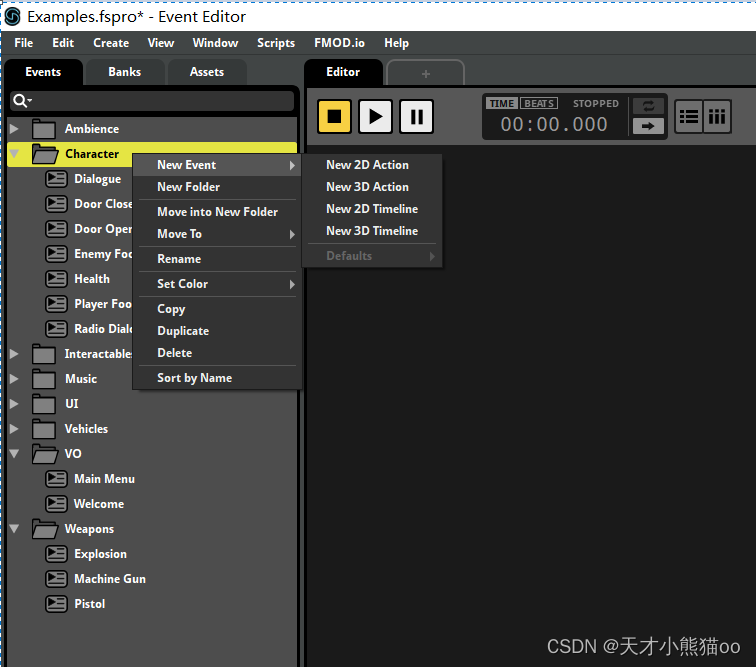
- FMOD Studio中左侧面板Event Tab栏中,右击选择New Event,表示创建一个新的音效(下图使用的是Fmod 官方的Demo工程);
Unity部分
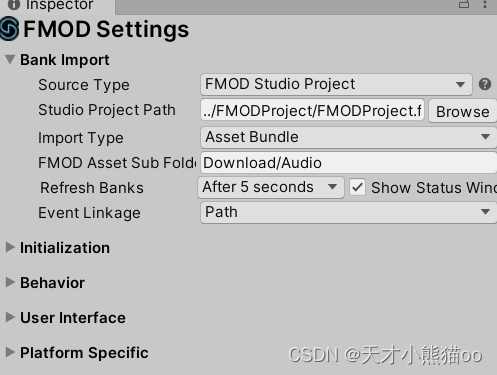
1.去Unity商店,搜索Fmod For Unity 添加至我的资源后在unity包管理器中进行下载,下载完成后会自动导入Unity,此时菜单栏会多出一个FMOD选项;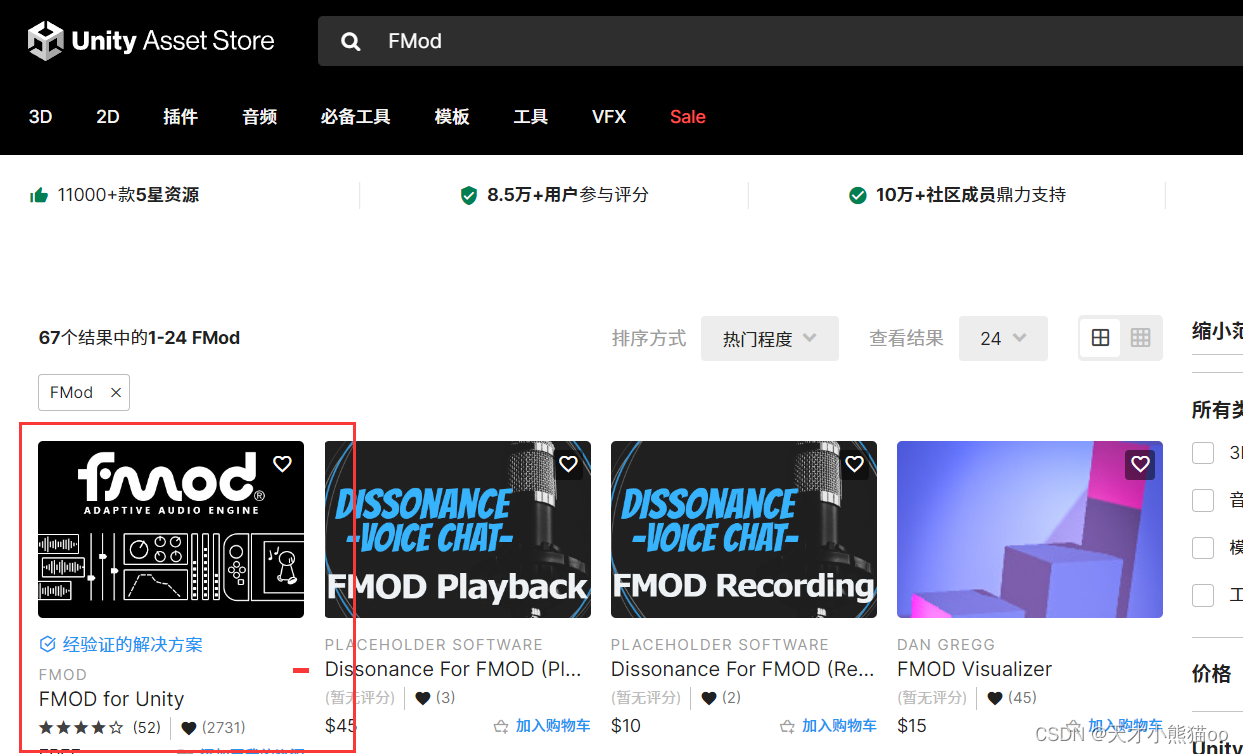
- FMOD->Import Banks,打开刚刚FMOD Studio创建的工程的Build目录,选择工程,Import进来;
- 选择Main Camera,然后搜索添加Component->Scripts->FMOD Listener组件,必须要添加这个组件,否则听不到声音。
Fmod Studio下载、工程创建和Fmod的导入Unity到这里就结束了,下面是声音管理器的设计。
二、声音管理器(AudioManager)设计
声音管理器是对Fmod层的封装,为了更便捷的的使用,为了使业务逻辑与原生Fmod API之间解开耦合,后续API变动不会影响业务逻辑。
UML静态视图
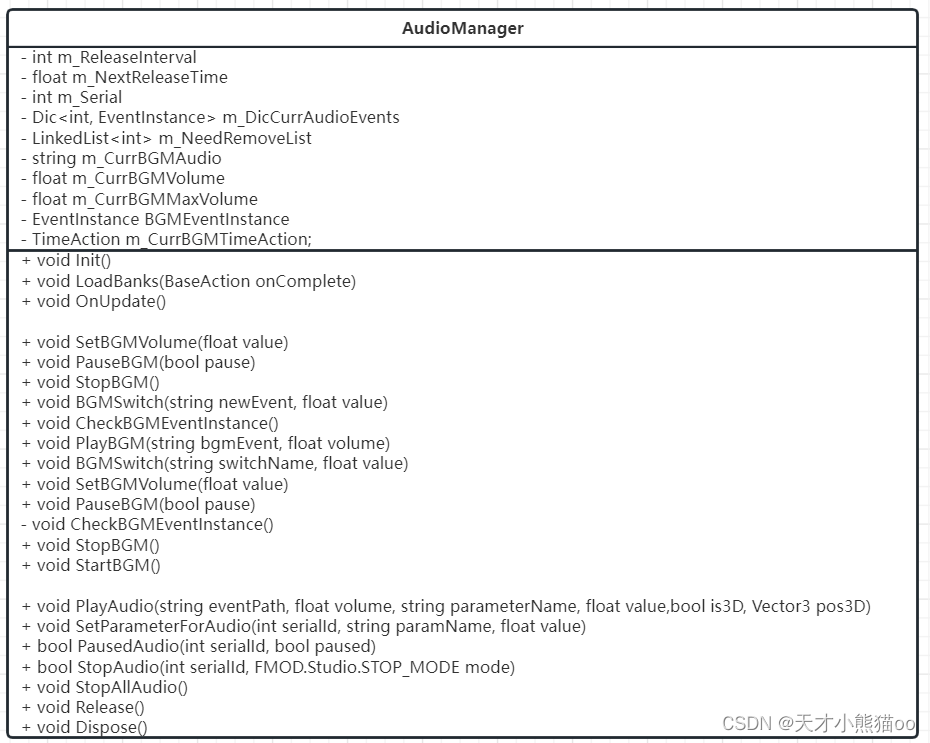
三、声音管理器代码实现
using System; using System.Collections.Generic; using System.Linq; using System.Text; using System.Threading.Tasks; using System.IO; using System.Collections.Generic; using FMOD.Studio; using FMODUnity; using UnityEngine; using YouYou.DataTable; using YouYou; namespace Myh {
       //声音管理器 public class AudioManager : ManagerBase, IDisposable {
       //释放间隔 //120秒监测一次,把链表中的状态是停止状态的音乐从链表中删除,并且让音效实例停止,并且释放实例 private int m_ReleaseInterval = 120; //下次释放的时间 private float m_NextReleaseTime = 0; //序号 private int m_Serial = 0; //音效字典 private Dictionary<int, EventInstance> m_DicCurrAudioEvents = new Dictionary<int, EventInstance>(); //需要释放的音效编号 private LinkedList<int> m_NeedRemoveList = new LinkedList<int>(); //BGM //当前BGM的名字 private string m_CurrBGMAudio; //当前BGM音量 private float m_CurrBGMVolume; //当前BGM的最大音量 private float m_CurrBGMMaxVolume; //当前BGM的Fmod Instance private EventInstance BGMEventInstance; //当前BGM的定时器,用来控制音量 private TimeAction m_CurrBGMTimeAction; public AudioManager() {
       //下次释放时间 m_NextReleaseTime = Time.time; } public override void Init() {
       m_ReleaseInterval = GameEntry.ParamsSetting.GetGradeParamData(ConstDefine.AudioAssetBundlePath, GameEntry.CurrDeviceGrade); } public void LoadBanks(BaseAction onComplete) {
       #if DISABLE_ASSETBUNDLE && UNITY_EDITOR //编辑器模式加载 string[] arr = Directory.GetFiles(Application.dataPath+"/Download/Audio","*.bytes"); int len = arr.Length; for (int i = 0; i < len; ++i) {
       //根据路径拿到文件信息 FileInfo file = new FileInfo(arr[i]); TextAsset asset = UnityEditor.AssetDatabase.LoadAssetAtPath<TextAsset>("Assets/Download/Audio/"+file.Name); RuntimeManager.LoadBank(asset); } onComplete?.Invoke(); #else GameEntry.Resource.ResLoaderManager.LoadAssetBundle(ConstDefine.AudioAssetBundlePath, onComplete: (AssetBundle bundle) => {
       TextAsset[] arr = bundle.LoadAllAssets<TextAsset>(); int len = arr.Length; for (int i = 0; i < len; ++i) {
       //加载bank RuntimeManager.LoadBank(arr[i]); } //通知上层 onComplete?.Invoke(); }); #endif } //设置BGM音量 public void SetBGMVolume(float value) {
       BGMEventInstance.setVolume(value); } //暂停BGM public void PauseBGM(bool pause) {
       if (!BGMEventInstance.isValid()) //bgm事件实例无效 {
       CheckBGMEventInstance(); //重播 } if (BGMEventInstance.isValid()) //有效 {
       BGMEventInstance.setPaused(pause); } } //播放BGM public void StopBGM() {
       if (BGMEventInstance.isValid()) {
       //把音量变成0,再停止 m_CurrBGMTimeAction = GameEntry.Time.CreateTimeAction(); m_CurrBGMTimeAction.Init(null, 0, 0.05f, 100, null, (int loop) => {
       m_CurrBGMVolume -= 0.1f; m_CurrBGMVolume = Mathf.Max(m_CurrBGMVolume, 0); SetBGMVolume(m_CurrBGMVolume); if (m_CurrBGMVolume == 0) {
       m_CurrBGMTimeAction.Stop(); //BGMEventInstance.stop(FMOD.Studio.STOP_MODE.IMMEDIATE); } }, () => {
       BGMEventInstance.stop(FMOD.Studio.STOP_MODE.IMMEDIATE); }).Run(); } } /// <summary> /// BGM切换参数 /// </summary> /// <param name="newEvent">事件名</param> /// <param name="value">参数类型</param> public void BGMSwitch(string newEvent, float value) {
       BGMEventInstance.setParameterByName(newEvent, value); } //检查BGM实例,如果存在,停止之前的BGM,淡出新BGM private void CheckBGMEventInstance() {
       if (!string.IsNullOrEmpty(m_CurrBGMAudio)) {
       //立即停止 if (BGMEventInstance.isValid()) {
       BGMEventInstance.stop(FMOD.Studio.STOP_MODE.IMMEDIATE); BGMEventInstance.release(); } //使用事件播放新的实例 BGMEventInstance = RuntimeManager.CreateInstance(m_CurrBGMAudio); m_CurrBGMVolume = 0f; SetBGMVolume(m_CurrBGMVolume); BGMEventInstance.start(); //声音从0-max,逐渐变大 m_CurrBGMTimeAction = GameEntry.Time.CreateTimeAction(); m_CurrBGMTimeAction.Init(null, 0, 05f, 100, null, (int loop) => {
       m_CurrBGMVolume += 0.1f; m_CurrBGMVolume = Mathf.Min(m_CurrBGMMaxVolume, m_CurrBGMVolume); SetBGMVolume(m_CurrBGMVolume); //声音到最大了 if (m_CurrBGMVolume == m_CurrBGMMaxVolume) {
       m_CurrBGMTimeAction.Stop(); } }, null).Run(); } } //播放BGM public void PlayBGM(string bgmEvent, float volume = 1f) {
       m_CurrBGMAudio = bgmEvent; m_CurrBGMMaxVolume = volume; CheckBGMEventInstance(); } // 开始播放BGM public void StartBGM() {
       BGMEventInstance.start(); } public void OnUpdate() {
       if (Time.time > m_NextReleaseTime + m_ReleaseInterval) {
       m_NextReleaseTime = Time.time; Release(); } } /// <summary> /// 播放音效 /// </summary> /// <param name="eventPath">声音事件</param> /// <param name="volume">音量</param> /// <param name="parameterName">参数名称</param> /// <param name="value">参数值</param> /// <param name="is3D">是否3D</param> /// <param name="pos3D">3D位置</param> /// <returns>音效实例编号</returns> public int PlayAudio(string eventPath, float volume = 1f, string parameterName = null, float value = 0f, bool is3D = false, Vector3 pos3D = default(Vector3)) {
       if (string.IsNullOrEmpty(eventPath)) return -1; EventInstance instance = RuntimeManager.CreateInstance(eventPath); //设置该事件的参数和值 if (!string.IsNullOrEmpty(parameterName)) {
       instance.setParameterByName(parameterName, value); } if (is3D) {
       //设置3d属性 instance.set3DAttributes(pos3D.To3DAttributes()); } instance.start(); int serialId = ++m_Serial; m_DicCurrAudioEvents[serialId] = instance; return serialId; } //播放音效 public int PlayAudio(int audioId, string paramName = null, float value = 0f, Vector3 pos3D = default(Vector3)) {
       if (GameEntry.Procedure != null && (int)GameEntry.Procedure.CurrProcedureState <= (int)ProcedureState.Preload) {
       return -1; } DTSys_Audio? entity = GameEntry.DataTable.Sys_AudioList.GetEntity(audioId); if (entity != null) {
       DTSys_Audio sys_Audio = entity.Value; return PlayAudio(sys_Audio.AssetPath, sys_Audio.Volume, paramName, value, sys_Audio.Is3D == 1, pos3D); } else {
       GameEntry.LogError("Audio不存在Id={0}", audioId); return -1; } } //设置音效参数 public void SetParameterForAudio(int serialId, string paramName, float value) {
       EventInstance instance; if (m_DicCurrAudioEvents.TryGetValue(serialId, out instance)) {
       if (instance.isValid()) {
       instance.setParameterByName(paramName, value); } } } /// <summary> /// 暂停某个音效 /// </summary> /// <param name="serialId">音效实例编号</param> /// <param name="paused">是否暂停</param> public bool PausedAudio(int serialId, bool paused = true) {
       EventInstance eventInstance; if (m_DicCurrAudioEvents.TryGetValue(serialId, out eventInstance)) {
       if (eventInstance.isValid()) {
       return eventInstance.setPaused(paused) == FMOD.RESULT.OK; } } return false; } /// <summary> /// 停止某个音效 /// </summary> /// <param name="serialId">音效实例编号</param> public bool StopAudio(int serialId, FMOD.Studio.STOP_MODE mode = FMOD.Studio.STOP_MODE.IMMEDIATE) {
       EventInstance eventInstance; if (m_DicCurrAudioEvents.TryGetValue(serialId, out eventInstance)) {
       if (eventInstance.isValid()) {
       var result = eventInstance.stop(mode); eventInstance.release(); m_DicCurrAudioEvents.Remove(serialId); return result == FMOD.RESULT.OK; } } return false; } public void StopAllAudio() {
       IEnumerator<KeyValuePair<int, EventInstance>> iter = m_DicCurrAudioEvents.GetEnumerator(); while (iter.MoveNext()) {
       EventInstance instance = iter.Current.Value; instance.release(); } m_DicCurrAudioEvents.Clear(); } private void Release() {
       LinkedListNode<int> iter = m_NeedRemoveList.First; while (iter != null) {
       LinkedListNode<int> next = iter.Next; int serialId = iter.Value; m_DicCurrAudioEvents.Remove(serialId); m_NeedRemoveList.Remove(iter); iter = next; } } public void Dispose() {
       } } }
四、测试代码
经过测试一切正常
using System; using System.Collections.Generic; using System.Linq; using System.Text; using System.Threading.Tasks; using UnityEngine; using Myh; class TestAudio : ITest {
       public void OnTestStart() {
       //throw new NotImplementedException(); } public void OnTestUpdate() {
       /* //BGM //开始 if (Input.GetKeyDown(KeyCode.Q)) { //GameEntry. GameEntry.Audio.PlayBGM("event:/BackGround/Audio_Bg_ChangAn", 1f); } //暂停 else if (Input.GetKeyDown(KeyCode.W)) { GameEntry.Audio.PauseBGM(true); } //继续 else if (Input.GetKeyDown(KeyCode.E)) { GameEntry.Audio.PauseBGM(false); } else if (Input.GetKeyDown(KeyCode.R)) { GameEntry.Audio.StopBGM(); } else if (Input.GetKeyDown(KeyCode.T)) { } //音效 else if (Input.GetKeyDown(KeyCode.X)) { GameEntry.Audio.PlayAudio("event:/Fight/NvYao_attack1",is3D:true,pos3D:new Vector3(-1,1,2)); } */ } }
参考文章:https://blog.csdn.net/zhaoguanghui2012/article/details/
免责声明:本站所有文章内容,图片,视频等均是来源于用户投稿和互联网及文摘转载整编而成,不代表本站观点,不承担相关法律责任。其著作权各归其原作者或其出版社所有。如发现本站有涉嫌抄袭侵权/违法违规的内容,侵犯到您的权益,请在线联系站长,一经查实,本站将立刻删除。 本文来自网络,若有侵权,请联系删除,如若转载,请注明出处:https://haidsoft.com/107887.html

