
大家好,欢迎来到IT知识分享网。
01 到官网下载安装包
官网链接:点击进入
去别的地方下载中文版也行,软件里面也可以改
留存一个129元终身优惠链接备用:点击进入购买IDM官方中文版注册码、激活码
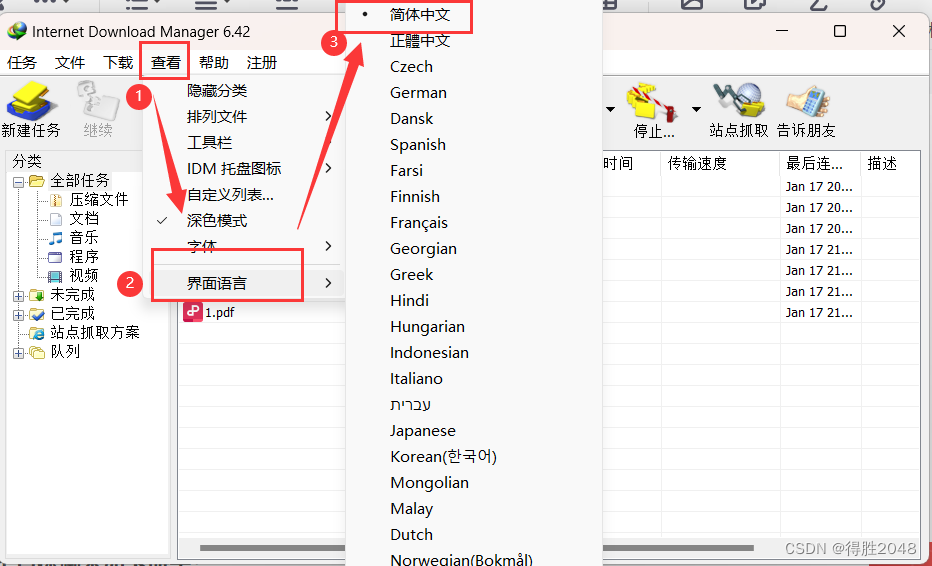
02 Powershell脚本使用:
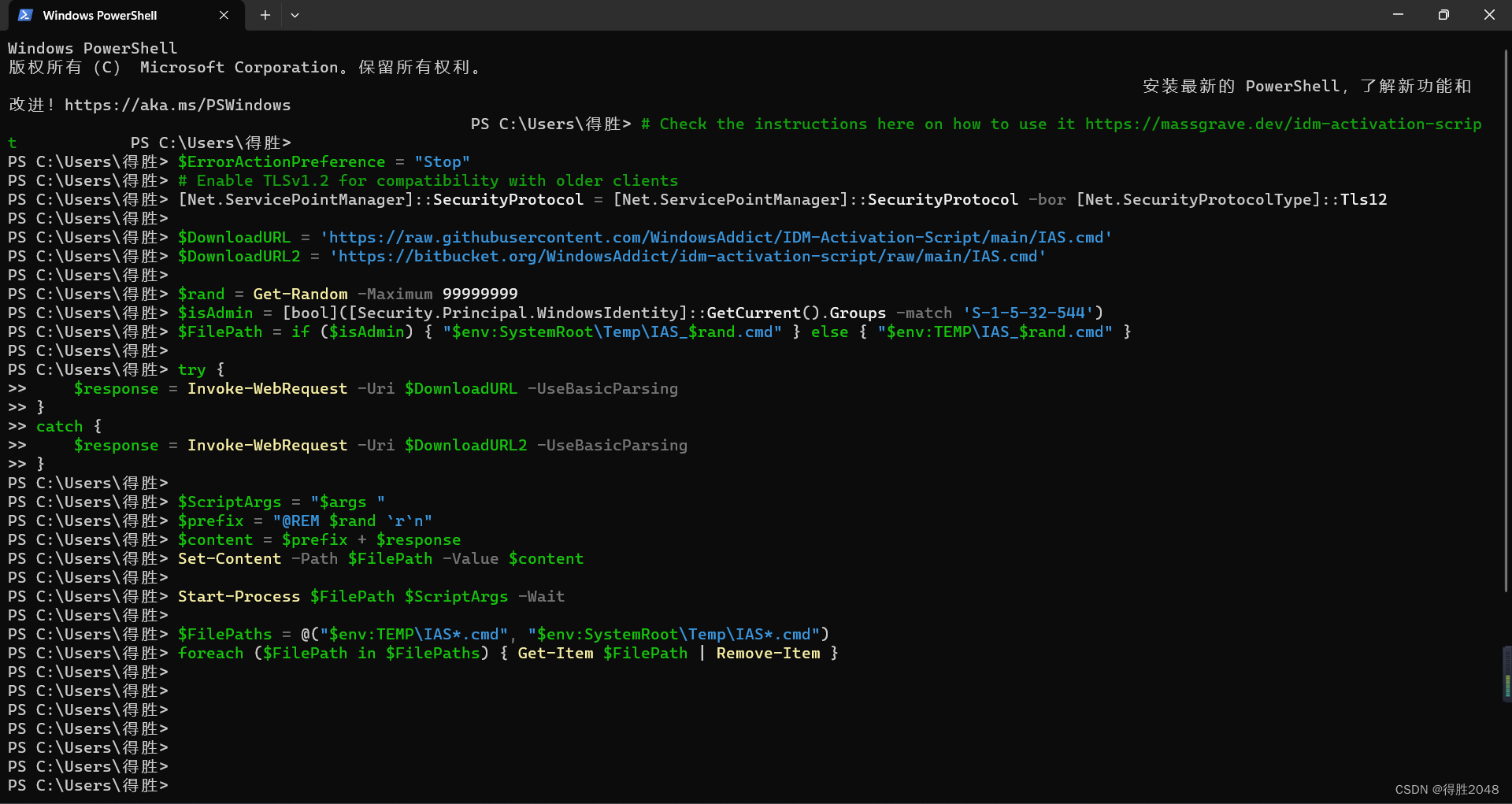
总的来说,这段代码的目的是通过管理员身份下载一个 IDM 激活脚本并运行它,同时处理可能的错误情况并在完成后清理临时文件。
2.1 具体脚本如下所示:
# Check the instructions here on how to use it https://massgrave.dev/idm-activation-script $ErrorActionPreference = "Stop" # Enable TLSv1.2 for compatibility with older clients [Net.ServicePointManager]::SecurityProtocol = [Net.ServicePointManager]::SecurityProtocol -bor [Net.SecurityProtocolType]::Tls12 $DownloadURL = 'https://raw.githubusercontent.com/WindowsAddict/IDM-Activation-Script/main/IAS.cmd' $DownloadURL2 = 'https://bitbucket.org/WindowsAddict/idm-activation-script/raw/main/IAS.cmd' $rand = Get-Random -Maximum $isAdmin = [bool]([Security.Principal.WindowsIdentity]::GetCurrent().Groups -match 'S-1-5-32-544') $FilePath = if ($isAdmin) { "$env:SystemRoot\Temp\IAS_$rand.cmd" } else { "$env:TEMP\IAS_$rand.cmd" } try { $response = Invoke-WebRequest -Uri $DownloadURL -UseBasicParsing } catch { $response = Invoke-WebRequest -Uri $DownloadURL2 -UseBasicParsing } $ScriptArgs = "$args " $prefix = "@REM $rand `r`n" $content = $prefix + $response Set-Content -Path $FilePath -Value $content Start-Process $FilePath $ScriptArgs -Wait $FilePaths = @("$env:TEMP\IAS*.cmd", "$env:SystemRoot\Temp\IAS*.cmd") foreach ($FilePath in $FilePaths) { Get-Item $FilePath | Remove-Item }2.2 win+r快捷键调出运行窗口输入powershell
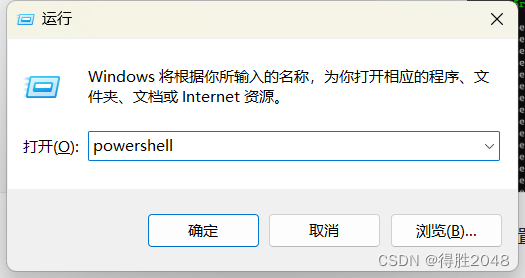
2.3 在powershell窗口里面复制脚本 (不需要其它操作了,过一会儿 , 会下载文件弹窗)
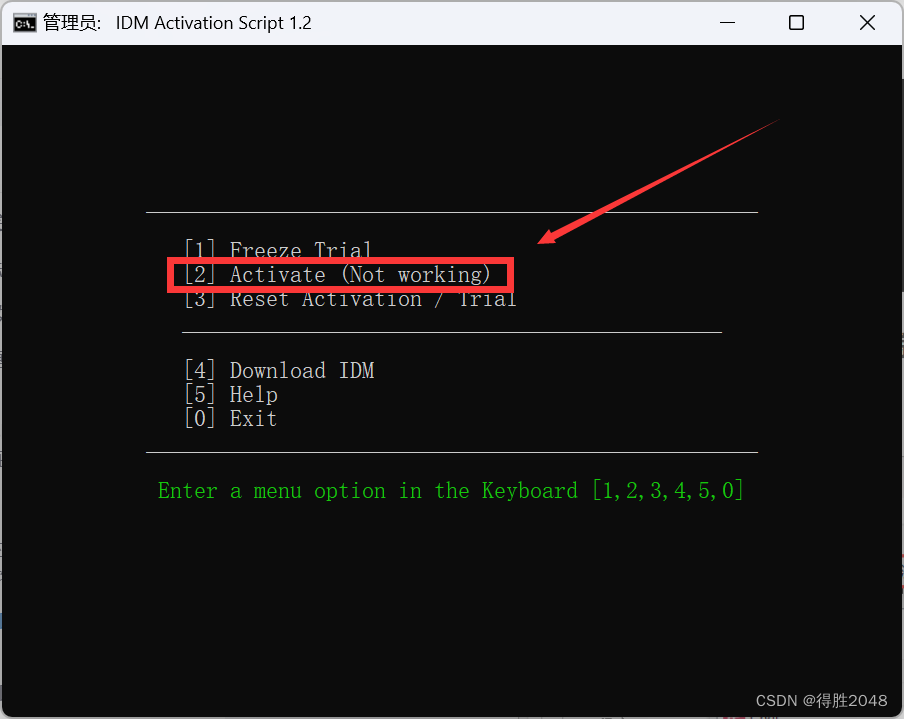
2.4 会有1,2,3,4 的选项 ,
2.4.1输入对应Activate数字继续运行 ,在一堆过后 , 然后就注册成功
2.4.2 例1 如果是这个界面 , 那么就是输入1
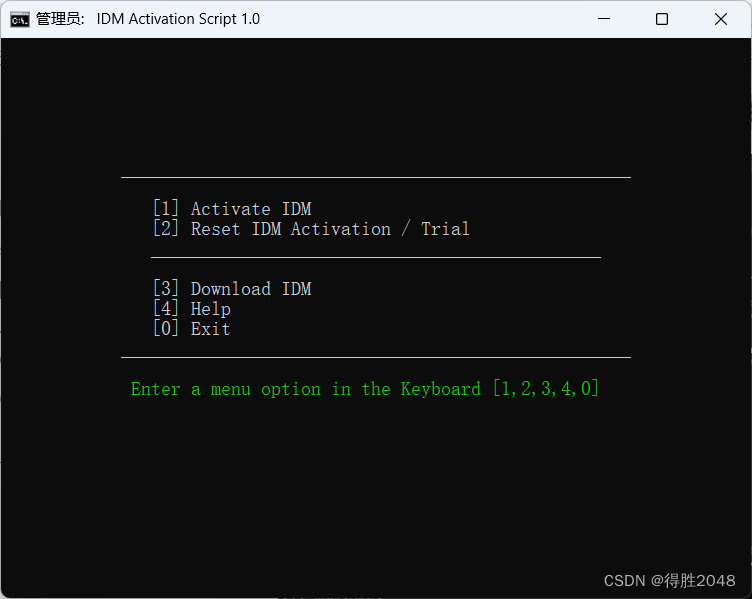
2.4.3 例2 如果是这个界面 , 那么就是输入2
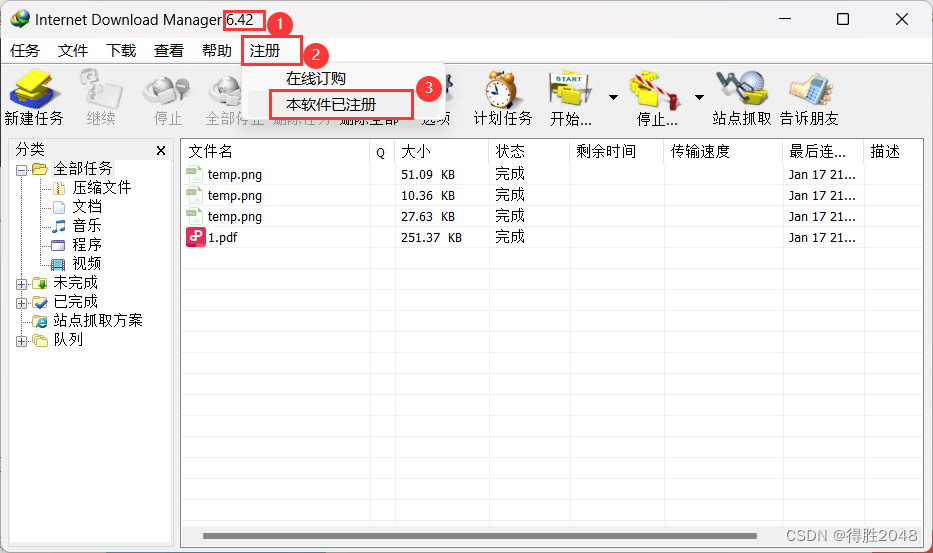
03 成功界面展示
免责声明:本站所有文章内容,图片,视频等均是来源于用户投稿和互联网及文摘转载整编而成,不代表本站观点,不承担相关法律责任。其著作权各归其原作者或其出版社所有。如发现本站有涉嫌抄袭侵权/违法违规的内容,侵犯到您的权益,请在线联系站长,一经查实,本站将立刻删除。 本文来自网络,若有侵权,请联系删除,如若转载,请注明出处:https://haidsoft.com/115337.html

